HH - Rev
Rev Challenge write-ups
Rev is Easy!!
Description: Welcome to the “Rev is Easy!” challenge at CyberMaterial! Think you’re clever enough to outsmart our file? Prove that “Rev” isn’t just short for “Reverse Engineering,” but also for “Really Easy Victory!”
Just open the program in a decompiler like Ida, You will see the flag. OR run strings on binary to see the flag.

Flag:
CM{ReV_i5_Easy}
Go Crazy!!
Description: In a small, dimly lit room, a determined hacker named killswxtch sits in front of an old, flickering computer screen. They find a book with a note that reads, “Check the sequence.” Using this clue, killswxtch deciphers the password and enters it, unlocking a hidden door that reveals secret manuscripts.
Open program in decompiler like Ida, You will notice the password and the flag itself.
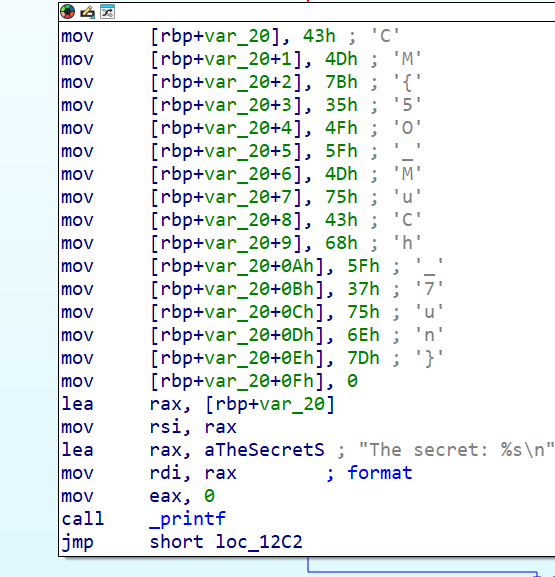
Flag:
CM{5O_MuCh_7un}
Who’s Really Dunked?
Description: *Cosmicgurl::92 says, “R47RoO7::47 is drunk!” 🍻 R47RoO7::47 responds, “JavaScript::00 is drunk!” 🤪 And then, out of nowhere, JavaScript stumbles in and says, “Yep, I’m actually drunk!” 🍹
So, let’s do a reverse cosmic dance to figure out who’s really had one too many. Spoiler alert: it looks like JavaScript is the real party animal! 🚀🥳*
We are provided with a PARTY.txt file. Opening it we see garbage text. I used dcode identifier it was base92 encoded. then ROT47 and I got the js code. Also the problem statement was kinda hinting at the numbers 92 and 47 although I didn’t notice it before. Another reason to pay attention to the problem statement. Sometimes you get valuable information from it.
The flag was being build in the code using some checks.
Flag:
CM{News_Alerts_Incident}
The Key to Nowhere
Description: You’ve got your hands on a mysterious file called wkwkwkkw, and the word on the street is that only those with a sharp mind and a good sense of humor can unlock its secrets. Legend says it holds the key to something… static, perhaps? Who knows?
Initial Analysis
I usually begin analyzing the file using file command to get information about the given binary. The file was a ELF 64bit executable

I ran strings on binary and noticed quite a lot of python related information like modules and python version like 3.10 .
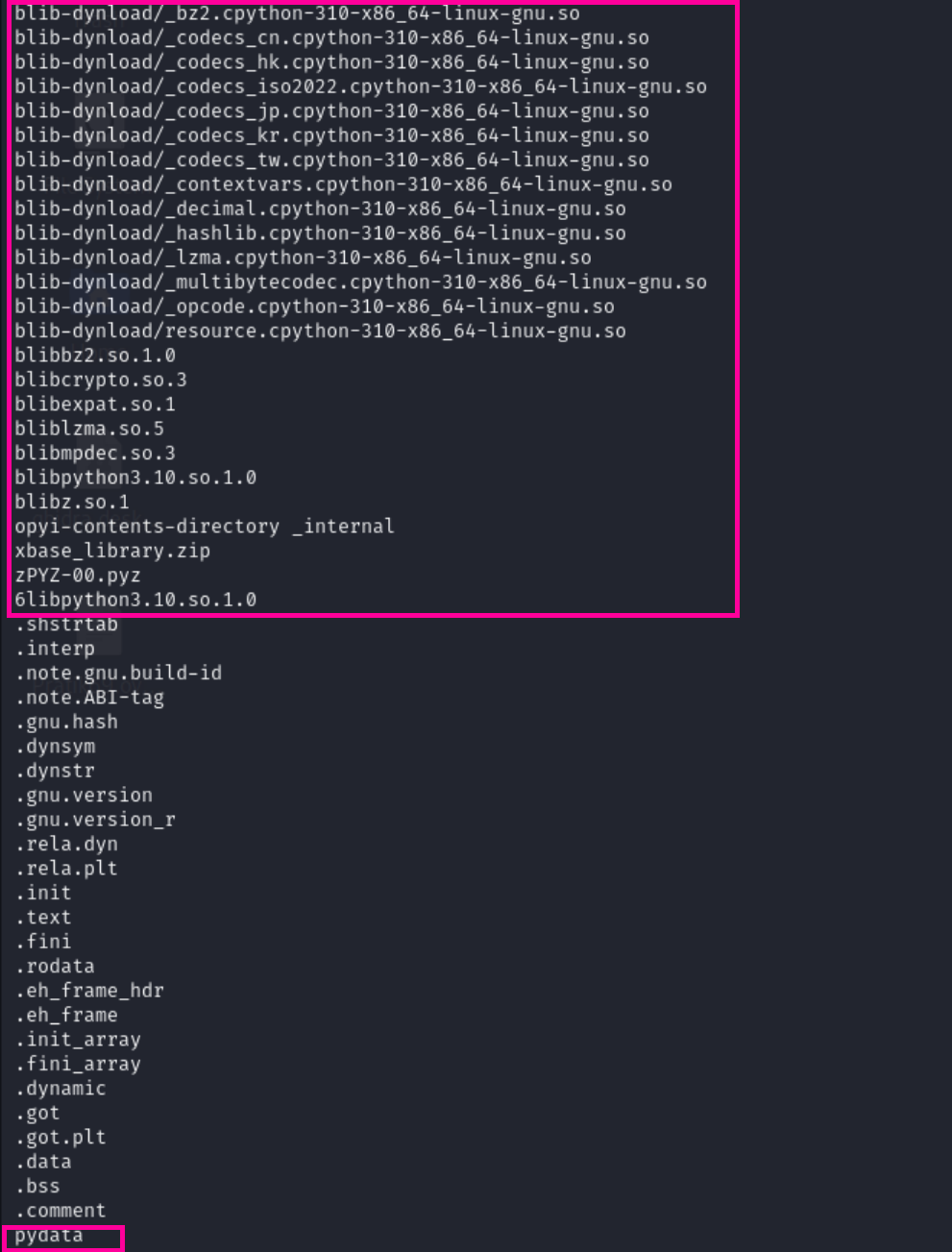
After some researching using Google and Chatgpt, I found the binary may be bundled using PyInstaller which is a tool to convert python scripts into standalone executables. I continued my searched and found out a tool called pyinstxtractor which can extract the contents of file bundled using PyInstaller.
Extracting the contents
I cloned the repo and ran the tool on the file and it extracted the contents of the file to a folder.
The repo also suggested to use a decompiler on the extracted pyc files.

Decompiling the code
1
2
└─$ file 3.pyc
3.pyc: Byte-compiled Python module for CPython 3.10, timestamp-based, .py timestamp: Thu Jan  1 00:00:00 1970 UTC, .py size: 0 bytes
I searched for a CPython decompiler and found pycdc
After cloning the repository run the following commands in the directory of the downloaded repository:
cmake .
make
make test
This will build the decompiler and run the tests.
Some of the tests may fail, but the decompiler should work fine.
Run the command ./pycdc <filename> to decompile the file.
After decompiling you may see this specific function in the code which was generating the flag. (The decompiling is not perfect and you have to understand the code yourself)
1
2
3
4
def get_hidden_flag():
    '''Retrieve the hidden flag.'''
    return ''.join((lambda .0: for c in .0:
chr(c))((82, 51, 86, 95, 68, 52, 84, 52, 95, 72, 51, 114, 79)))
The basic idea here is the code is converting the values to ascii and joining them to get the flag.
after converting to ascii we get R3V_D4T4_H3rO which was the flag
Flag:
CM{R3V_D4T4_H3rO}
Awwwwwwwwwwwwwww!!
Description: So Much Awwww & Awaaaaaaaaaaa by Jelly Hoshiumi
Flag: Enclosed string with CM{….}

We are given a Awaaaaaaaa.png (not the one above) and a Awwwww.txt which consisted of awa5.0 code. The png file was running the same code given to us in the online Awa5.0 interpreter. The input was supposedly the flag ( hidden ) and output was visible, which looked like the shuffled flag.
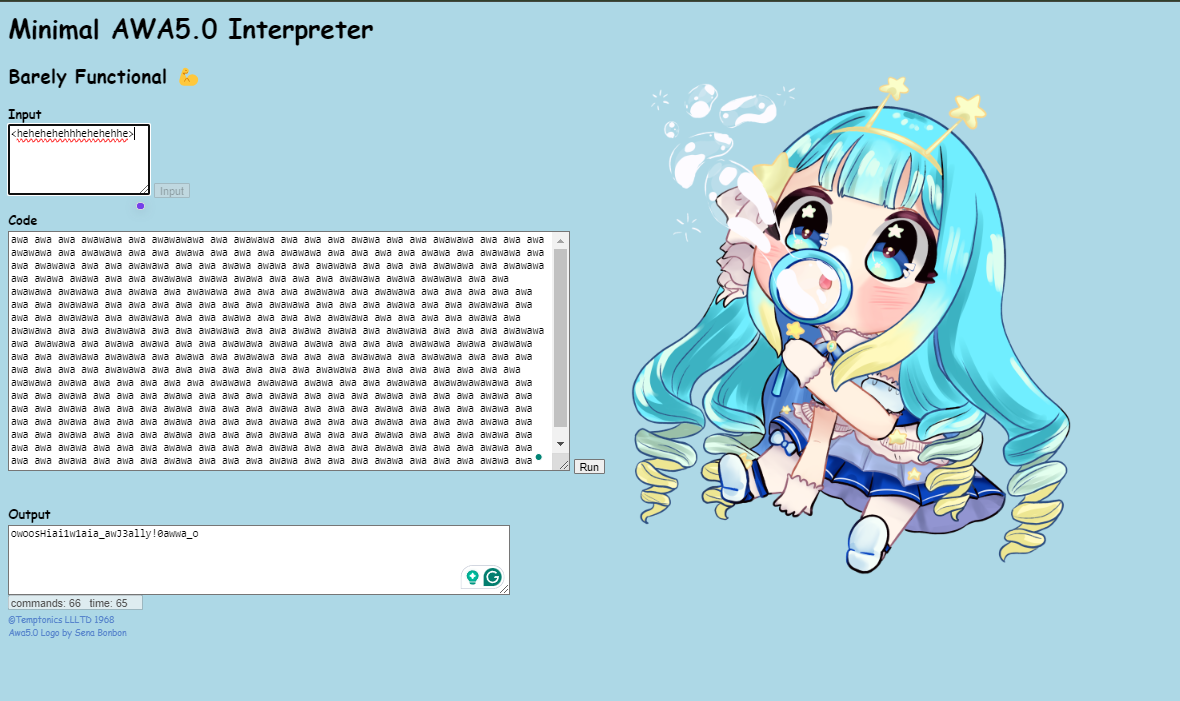
I read the docs of awa5.0 and found it uses awascii instead of ascii, and not all characters were used.
The length of the flag was 32. So I typed in 32 characters supported by awascii and it gave the shuffled result. Now i had to just map the shuffled characters to the original characters.
1
2
3
4
5
6
7
8
9
10
11
12
13
14
15
16
17
18
19
20
21
22
23
def get_shuffle_pattern(original, shuffled):
    pattern = []
    for char in shuffled:
        pattern.append(original.index(char))
    return pattern

def unshuffle_string(shuffled, pattern):
    unshuffled = [''] * len(shuffled)
    for i, pos in enumerate(pattern):
        unshuffled[pos] = shuffled[i]
    return ''.join(unshuffled)

original_string = "AWawJELYHOSIUMjelyhosiumPCNTpcnt" # Input given by me
shuffled_string = "eSlyhosaiuEmHPICJWNTLpcntMAwYOUj"

pattern = get_shuffle_pattern(original_string, shuffled_string)
print(f"Shuffle pattern: {pattern}")

input_string = "owoosHiai1w1aia_awJ3ally!0awwa_o" # Output from the image given
unshuffled_string = unshuffle_string(input_string, pattern)

print(f"Unshuffled string: {unshuffled_string}")
# Unshuffled string: awawawawaawa_0oooosHii11i_J3lly!
Flag:
CM{awawawawaawa_0oooosHii11i_J3lly!}